For appraisers
Built by an appraiser,
for appraisers.
As an appraiser, you are usually keeping several clocks running at once on every file: the demand letter, the carrier naming their appraiser, and the umpire if it comes to that. Most of the CRM platforms I tried seemed to treat a claim like a sales lead. The Claim King was built around the way an appraiser actually works: both estimates and the dispute between them on one file, every date from the demand letter to the award, and getting paid once it is over.
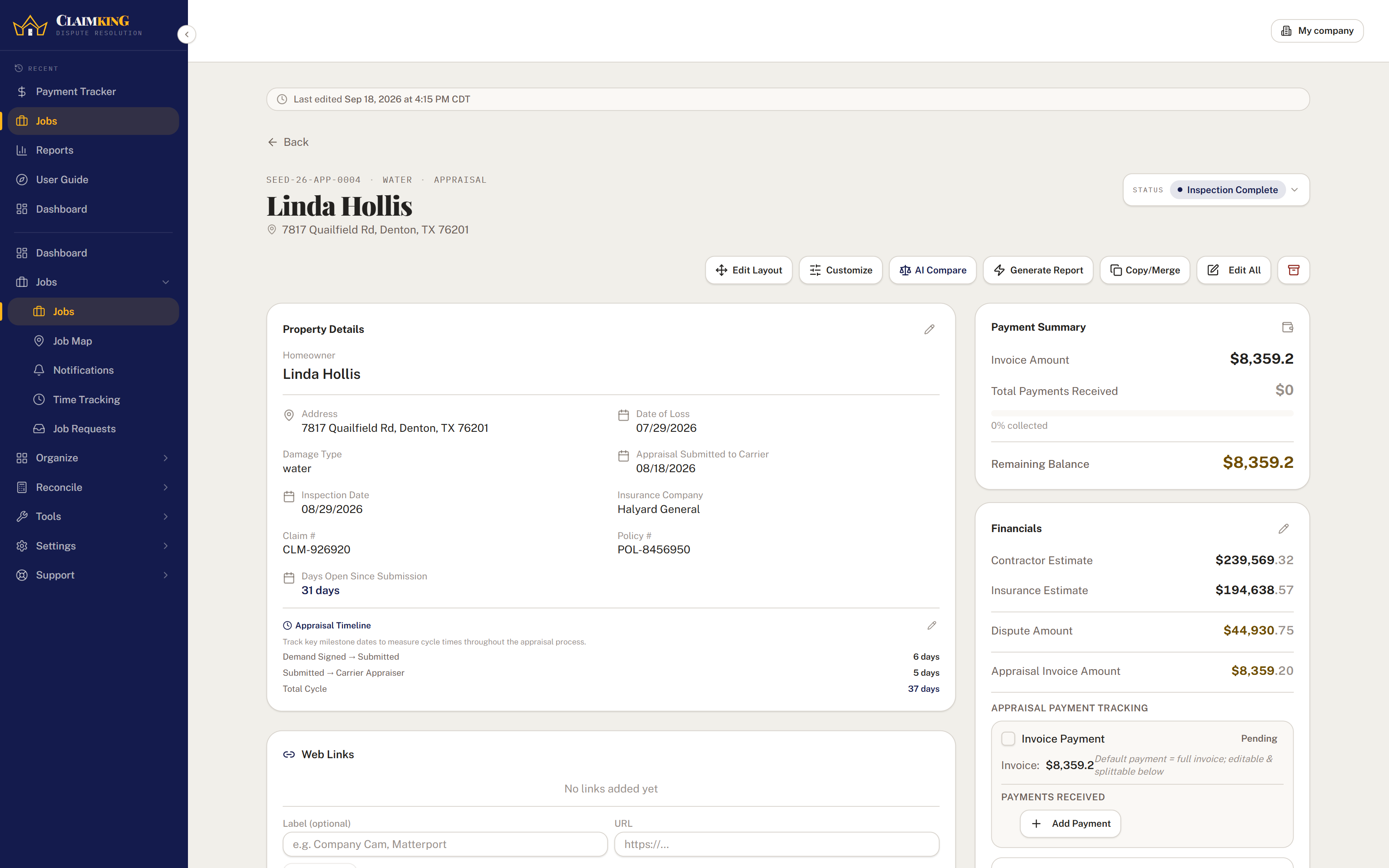
Example appraisal file
Inspection scheduled- Demand letter signedMar 2
- Demand letter submittedMar 4
- Carrier appraiser assignedMar 19
- Inspection scheduledMar 23
- Inspection completedPending
Open 27 days since the demand letter was submitted
Sound familiar?
The appraisal file, before.
Like most everyone in my line of work, I started out with a paper filing system that eventually migrated to spreadsheets and keeping track of statuses through email. These are the struggles that seemed to come up for every appraiser I have talked to.
- Where does this one stand?A homeowner or a contractor reaches out for an update, and before you can answer you are going through papers, emails, your calendar and your texts to figure out where the file actually stood.
- The carrier is taking its timeThe demand letter went out weeks ago and the carrier still has not named their appraiser, and without the dates written down in one place it is hard to say exactly how long it has been.
- Two estimates, one spreadsheetThe contractor's estimate and the carrier's estimate live in different attachments, and working out the dispute between them means opening both every time.
- Getting paid is its own jobThe award is signed, the invoice has gone out, and now you are keeping track of who has paid, who still owes, and what you owe the umpire, usually on a separate list.
The appraisal timeline
Demand letter to award, one date at a time.
Every appraisal file gets its own timeline. Record each date as it happens and the days between them are counted for you, and the file shows how many days it has been open since the demand letter was submitted. The umpire step only shows up on a file that actually goes to umpire.
- 01Work came in
- 02Demand letter signed
- 03Demand letter submitted
- 04Carrier appraiser assigned
- 05Inspection scheduled
- 06Inspection completed
- 07Estimate submitted
- 08File sent to umpire· if it goes to umpire
- 09Award signed
The claim file
Both estimates, and the dispute between them.
Enter the contractor's estimate and the carrier's estimate and the dispute amount is worked out for you, right next to your invoice and what has been collected on it. The homeowner, the contractor, both appraisers and the carrier are on the same page, along with the documents and the open tasks.
- Days open, counted for youEvery file shows how long it has been open since the demand letter was submitted, and the count stops once the file is finished.
- When it goes to umpireMark the file as going to umpire and it picks up the date it was sent and the umpire's inspection date, and the umpire fee you pay counts as a payout once it is marked paid.
- Paid, and paying outLog payments against the invoice and the balance keeps itself. The fee owed to whoever worked the file is tracked on the file as well.
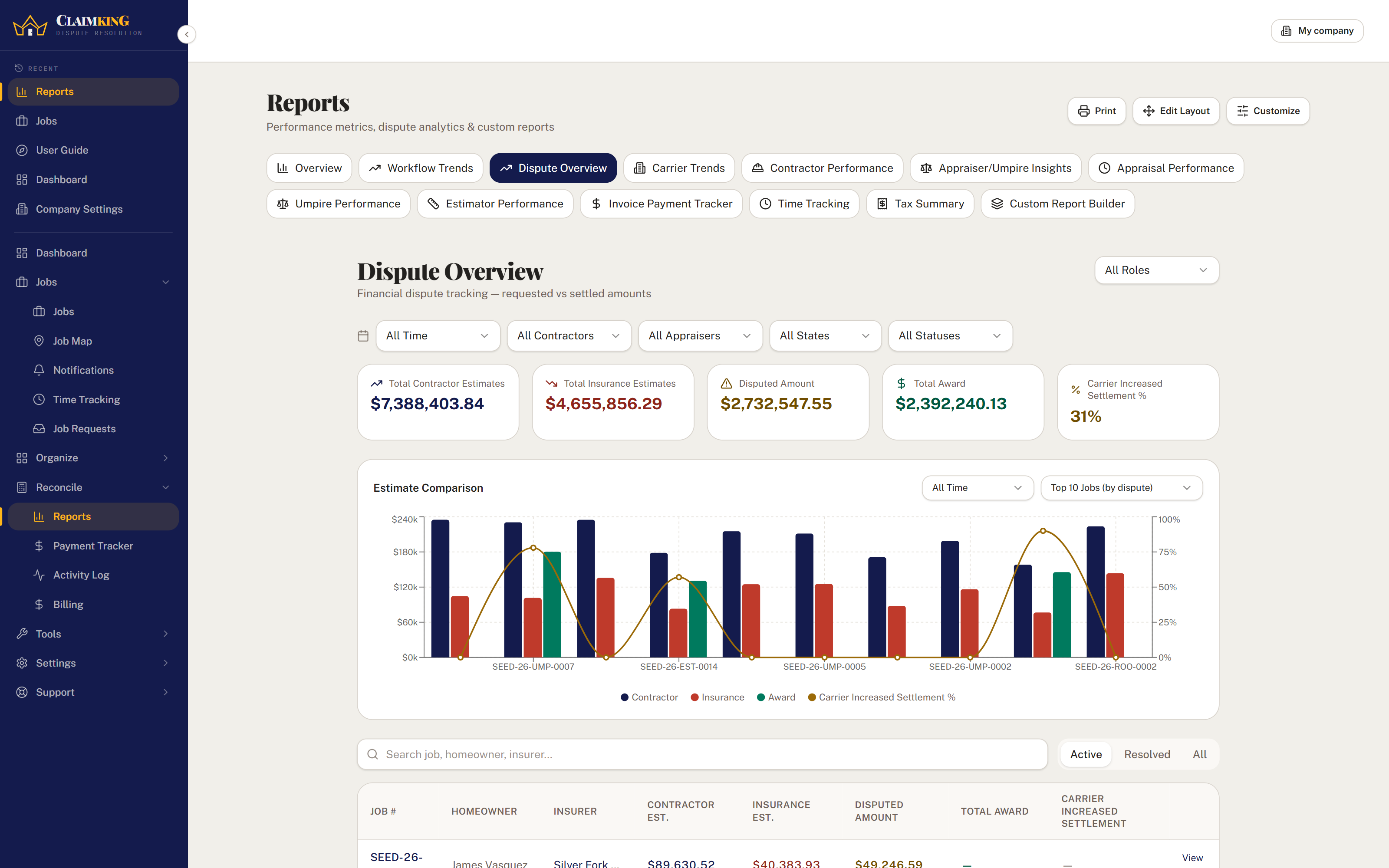
Reports
Walk into the next appraisal already knowing.
Over time, your own files start to tell you things: which carriers move the most, how long they take to name an appraiser, and how your files tend to come out depending on who is on the other side of them.
- Dispute overviewThe gap between the contractor's and the carrier's estimates across every file, against what was awarded.
- Carrier trendsHow each insurer settles, by how much, and how long they take.
- Appraiser and umpire insightsOutcomes and recovery by the appraiser or umpire on each file, drawn from your own contact directory.
- Appraisal performanceThe average days between every step of the timeline, so you can see where your files slow down.
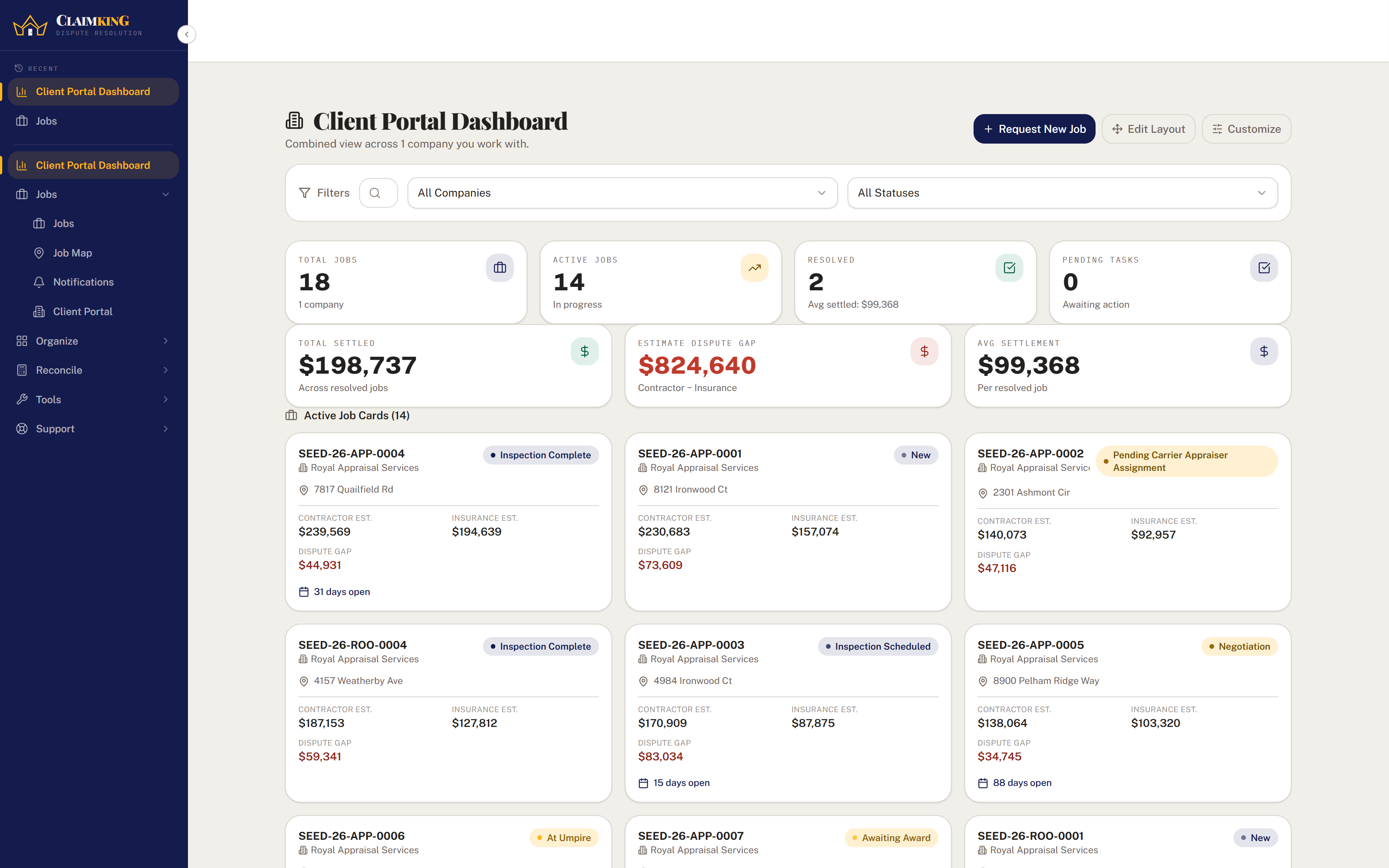
Working with contractors
A portal for the contractors who send you work.
The contractors you work with can sign in to their own portal, where they only see the files they are part of. They can submit a new job request for you to approve and upload documents straight to the file, so fewer of their updates have to come to you by phone or text.
Claim King Connect
Send the file to your umpire or estimator.
If the umpire or estimator you work with also uses The Claim King, you can send them the file through Connect instead of an email with attachments. It arrives on their side as its own job, and the shared details stay in sync in both directions, so neither of you is retyping what the other already entered.
Questions
Appraisers usually ask.
I also work as an umpire. Do I need two accounts?
No. The role is set on each file, not on your account, so your appraisal files and your umpire files live side by side and each one gets the fields, milestones and reports that fit the work.
Can I bring over the files I already have?
Yes. Claims import from a CSV, and contacts import the same way, with a preview showing which records are new and which already exist so you don't create duplicates.
Do the contractors I work with have to pay for anything?
No. Contractors sign in to the client portal on your account, and Claim King Core includes 10 client portal accounts. More are available in packs of ten if you need them.
What does it cost?
Claim King Core is $250 a month for your company, with 5 employee accounts and 10 client portal accounts included, and the first 30 days are free. Every price is published on the pricing page.
Get started
Bring one appraisal file over this afternoon.
Thirty days free. Put your next appraisal file in and see whether it feels like it was built for you.