For contractors
Know where every claim
actually stands.
As a contractor, once one of your claims goes to appraisal it can seem to disappear for weeks, and the only way to find out where it stands is to call the appraiser and ask. The Claim King gives you a place to see your files for yourself, either through the portal your appraiser gives you or with an account of your own for running your claim files.
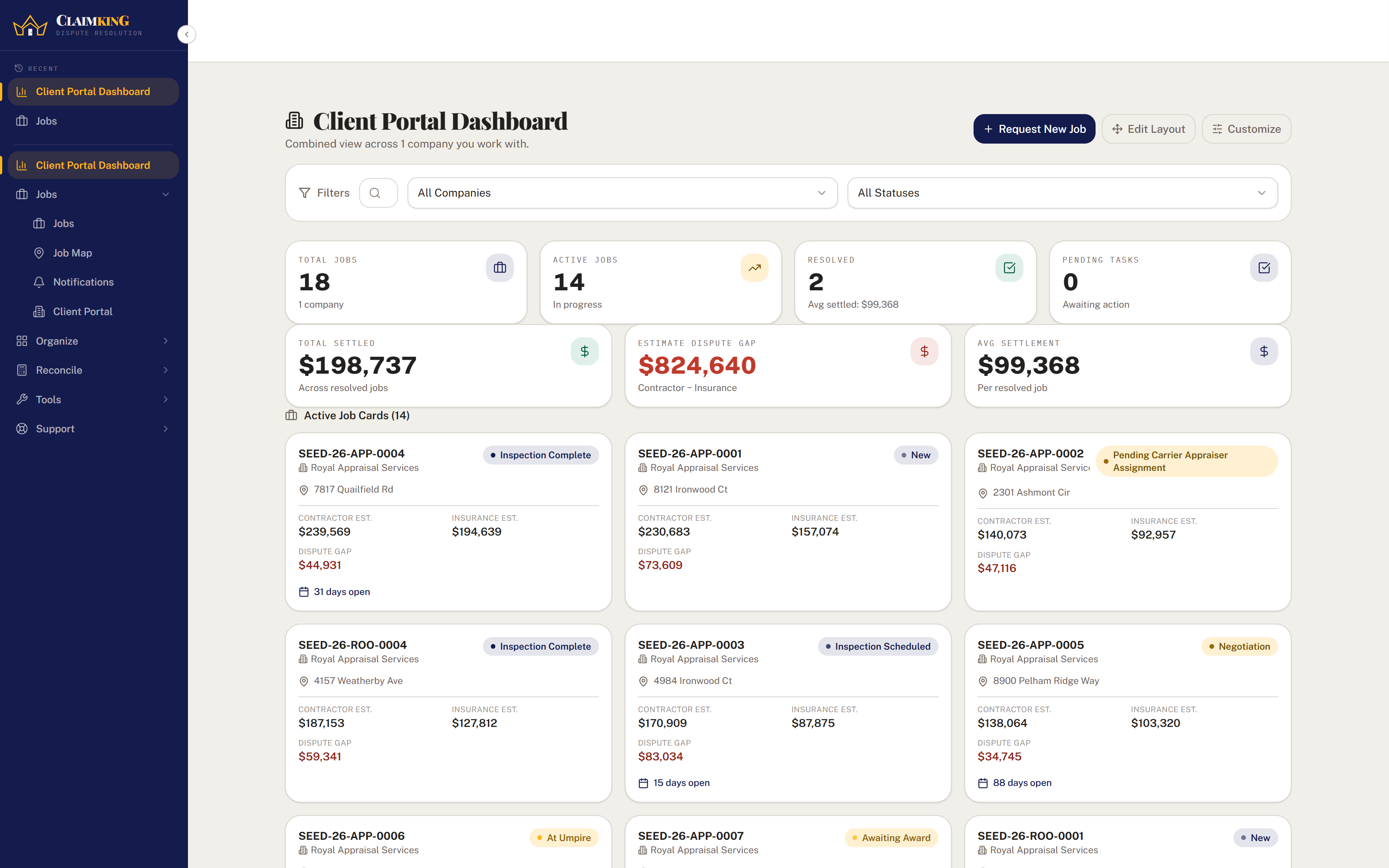
Your files with your appraiser
4 active- Roof · 7817 Quailfield RdInspection complete
- Roof · 2301 Ashmont CirPending carrier appraiser
- Water · 4984 Ironwood CtInspection scheduled
- Roof · 4157 Weatherby AveAt umpire
Only the files you are part of. Nothing else in your appraiser's account.
Sound familiar?
Waiting on the appraisal.
Most of the contractors I have worked with as an appraiser seemed to run into the same struggles once a claim left their hands, and most of them came down to not being able to see what was happening.
- Where does this one stand?The homeowner calls you for an update, and you have to call the appraiser before you can tell them anything.
- Sending the same documents twiceYour estimate and your photos went out by email, and a few weeks later someone is asking for them again.
- New work by phone and textEvery new claim you send to your appraiser starts as a phone call or a text message, and the details get typed in again on the other end.
- No picture of how your claims goWithout the files in one place, it is hard to say how your claims tend to come out, or which carriers move the most once a claim goes to appraisal.
Through your appraiser
A portal that shows your files, and nothing else.
If your appraiser uses The Claim King, they can invite you to their client portal. You sign in to your own dashboard and see only the files you are part of: the ones assigned to you, the ones you are named on, and the ones you sent in yourself. It does not cost you anything, because the portal account is part of your appraiser's subscription.
- The status of every fileSee where each of your files stands in appraisal, without having to call and ask.
- Send in new workSubmit a new job request from the portal for your appraiser to approve, instead of starting it with a phone call.
- Documents in one placeUpload your estimate and photos straight to the file, and download what is already there whenever you need it.
If your appraiser does not use The Claim King yet, feel free to send them this page.
With your own account
Run your claim files in one place.
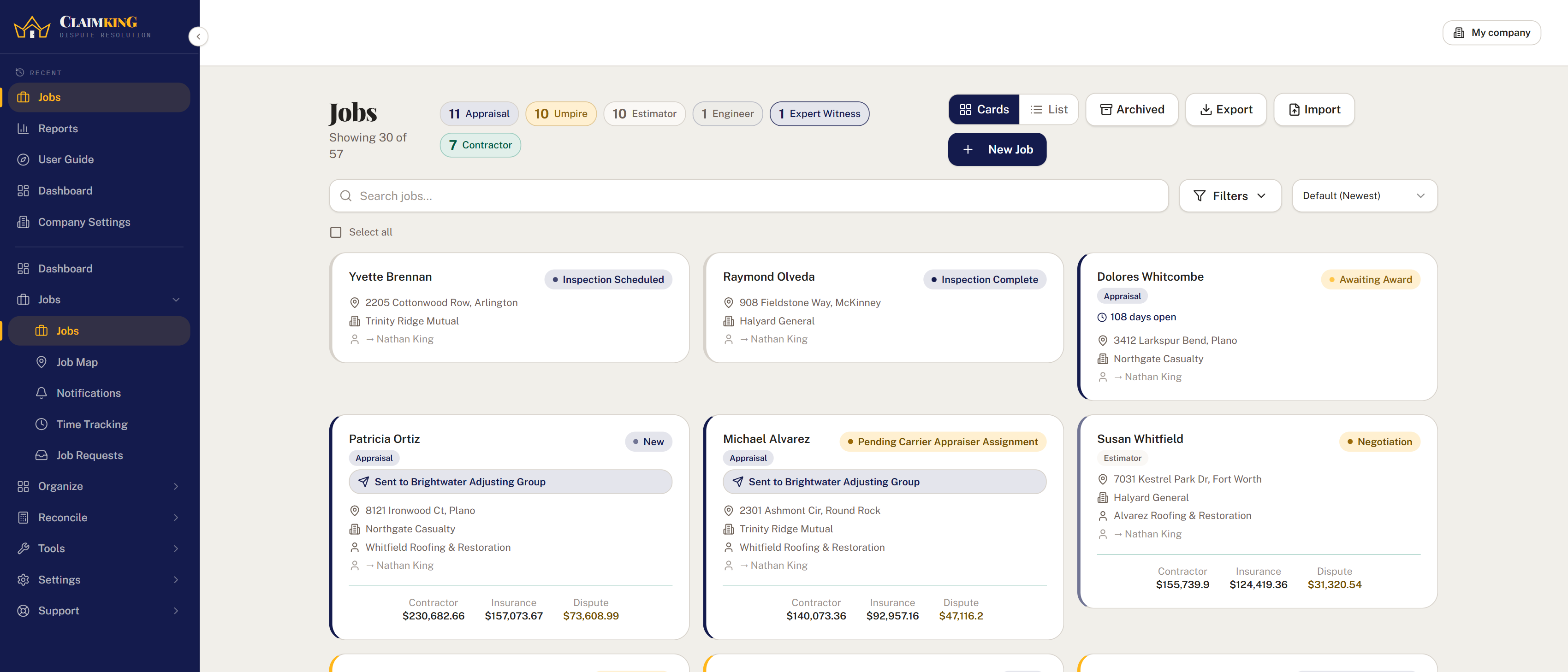
If you handle enough insurance work to want your own system for it, a contractor firm can have its own account and run its claim files the same way an appraisal firm does.
The claim file
Your estimate, the carrier's, and the gap.
Enter your estimate and the carrier's estimate and the dispute between them is worked out for you. The homeowner, the carrier, the appraisers and the umpire are on the same page as the documents and the open tasks.
- Your own tradesSet up the kinds of work you do, such as Roofing, HVAC or Plumbing, and file each claim under the right one.
- Documents, sortedEstimates, reports, photos and correspondence each labeled by type, and the whole file downloads as one ZIP when someone asks for it.
- Tasks that create themselvesSet a rule once and a task appears whenever a date or status on the file changes.
Claim King Connect
Send the claim to your appraiser.
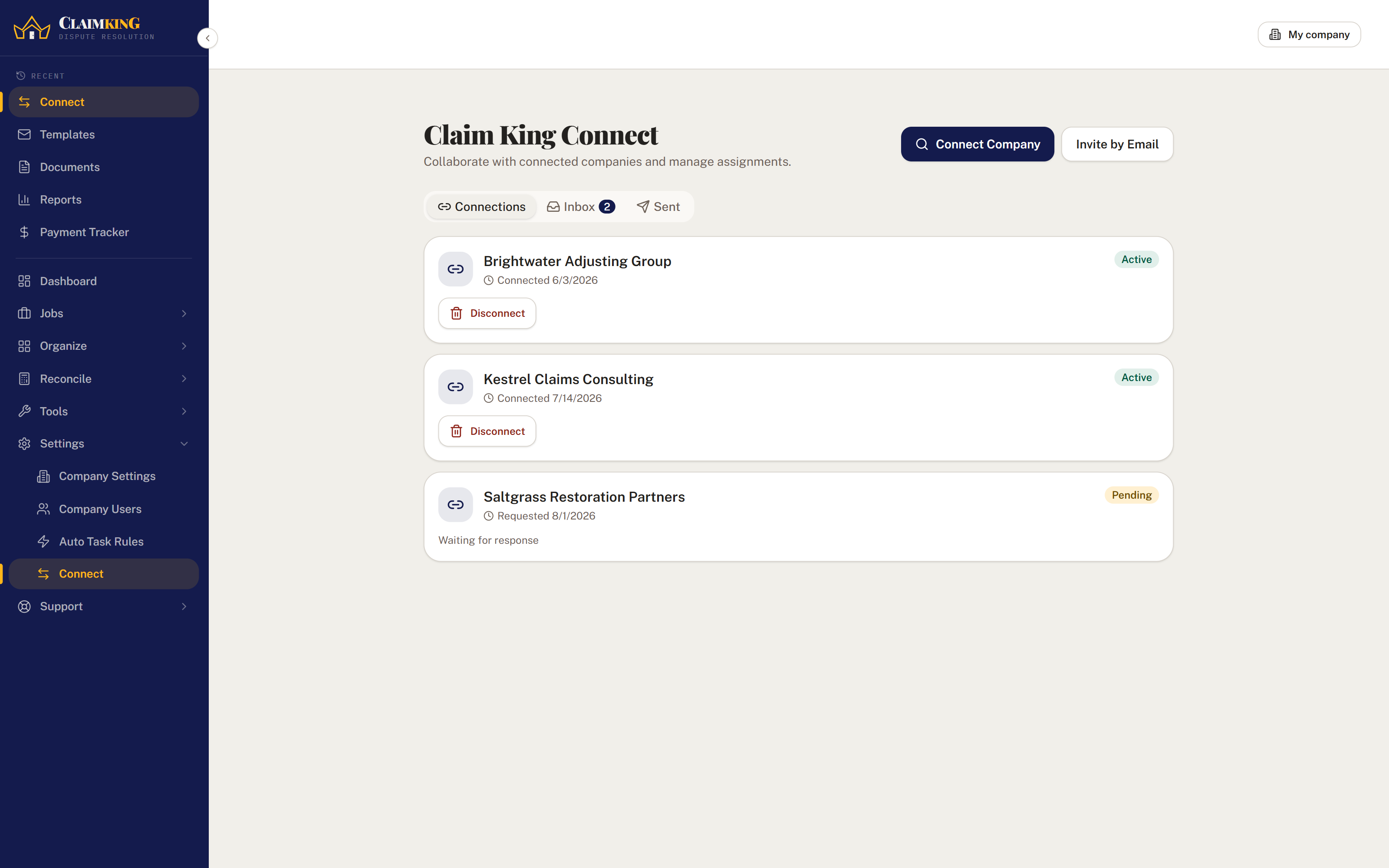
If the appraiser you work with also uses The Claim King, you can send them the claim through Connect instead of an email with attachments. It arrives on their side as its own job, and the shared details stay in sync in both directions, so you can see it move through appraisal from your own account.
- Plan the day around the mapEvery claim is plotted on a map, and inspections and deadlines sit on one calendar for the whole team.
- See how your claims come outThe dispute overview and carrier trends show how your claims tend to settle, and with which carriers.
Questions
Contractors usually ask.
Do I have to pay to use my appraiser's portal?
No. The portal account is part of your appraiser's subscription; Claim King Core includes 10 client portal accounts, and they can add more in packs of ten.
What can I see in the portal?
Only the files you are part of: the ones assigned to you, the ones you are named on, and the ones you sent in yourself, along with their documents and tasks. Nothing else in your appraiser's account is visible to you.
How do I get a portal account?
Your appraiser invites you from their account. If they do not use The Claim King yet, feel free to send them this page.
What does my own account cost?
Claim King Core is $250 a month for your company, with 5 employee accounts and 10 client portal accounts included, and the first 30 days are free. Every price is published on the pricing page.
Get started
See your claims for yourself.
Thirty days free for your own account, or ask your appraiser about their portal.